What Are the Top 10.4 Inch Industrial Displays in 2026?

A 10.4-Inch Industrial Display is a practical choice for control panels, machine interfaces, and compact operator stations. Its screen can show alarms, process values, and touch controls without dominating a tight enclosure. Yet diagonal size alone tells little. Brightness, viewing angle, touch response, operating temperature, and mounting options all affect performance on the factory floor. A screen that looks clear in an office may become difficult to read beside a sunlit loading-bay door. Small details matter.

This guide compares leading 10.4-inch industrial displays for 2026, focusing on specifications that buyers can verify and trade-offs they can assess. We’ll consider sunlight readability, interface compatibility, durability, and long-term product availability. We’ll also distinguish published ratings from features that depend on configuration. No display fits every installation. A sealed machine cabinet has different needs from a mobile diagnostic cart.

Reliable recommendations should be traceable. The source material supplied for this request does not include a verifiable quotation from a named display-industry expert, so attributing one would risk misleading readers. Instead, this overview uses measurable selection criteria and flags areas that require confirmation with manufacturers. Check the datasheet. Confirm the operating range. Ask about lifecycle support. Those steps are less dramatic than a confident quote, but they help buyers choose a display suited to real working conditions.
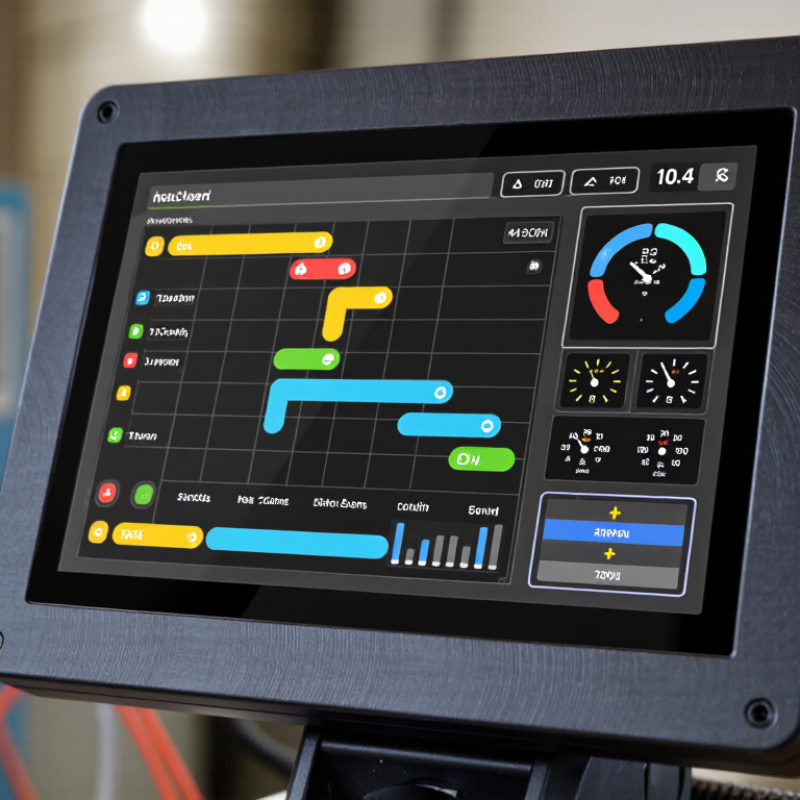
What Are the Top 10.4 Inch Industrial Displays in 2026?

Understanding 10.4-Inch Industrial Displays and Their Main Uses

A 10.4-inch industrial display offers a practical balance between readable information and limited panel space. Its screen can show machine status, alarms, and a few key controls without dominating a compact cabinet. Operators may find this size on production lines, packaging equipment, process-control stations, and mobile service machines. The diagonal measurement alone does not tell the whole story. Aspect ratio, resolution, viewing angle, and brightness all affect how clearly readings appear.

The right display depends on its working environment. A bright factory floor may need higher brightness and an anti-glare surface, while a washdown area calls for a sealed front and suitable touch technology. Check whether operators wear gloves, approach the screen from the side, or use it with wet hands. These details shape everyday usability more than a specification sheet suggests. A display that looks crisp in an office can be hard to read beside a sunlit loading bay. That happens.

Tips: Test the screen with the actual interface and lighting before final selection. Check cable access, mounting depth, and touch response with work gloves. Leave room for protective covers and routine cleaning. Small oversights can cause frustrating installation changes. Don’t assume every 10.4-inch model fits the same cutout.

Key Specifications That Shape Display Performance

A 10.4-inch industrial display needs specifications matched to its actual environment. Resolution is a useful starting point: a 1024 × 768 panel at this size delivers about 123 pixels per inch, enough to make compact labels and machine diagrams legible. But pixel density cannot fix poor contrast. Check the panel under the factory’s real lighting, not only in a dim showroom. Brightness around 800–1,000 cd/m² can help in strongly lit areas, though reflections and viewing angle still matter.

Look beyond the headline brightness. A wide viewing angle helps operators read the screen from beside a machine, while projected capacitive touch may be unreliable with thick gloves or water on the surface. Check the specified operating-temperature range, sealed-front rating, and connector retention against the installation site. Electrical noise matters, too. IEC 61000-4-2 lists test levels up to 8 kV contact discharge and 15 kV air discharge; these are test conditions, not a guarantee of immunity in every installation. VESA measurement guidance can help make luminance comparisons more consistent. Still, a datasheet rarely shows how a display behaves after years of heat, vibration, and cleaning. That gap deserves a real-world trial.

What Are the Top 10.4-Inch Industrial Displays in 2026?

Pixel density is one key specification shaping display detail. The chart compares common 4:3 resolutions, with PPI calculated for a 10.4-inch diagonal.

Higher pixel density provides finer image detail. Calculations use the diagonal pixel count divided by 10.4 inches; actual display specifications and aspect ratios vary by model.

How to Compare the Top 10.4-Inch Industrial Displays in 2026

Comparing the top 10.4-inch industrial displays in 2026 starts with the worksite, not the spec sheet. A panel beside a sunlit loading bay needs different brightness from one inside a sealed control cabinet. Check whether the screen remains readable under direct light, and ask for measured brightness rather than relying on “high-brightness” wording. Resolution matters too, but a sharp image is less useful if small labels become hard to read at the operator’s normal distance.

Next, compare touch response, interfaces, and environmental ratings against your actual installation. A gloved operator may need resistive touch, while frequent multi-touch tasks may favor projected capacitive technology. Confirm that the display supports your computer’s video output and mounting pattern. Then review its stated operating temperature, vibration tolerance, and front-panel protection. Numbers need context. A rating alone does not explain how a unit performs after years of dust, heat, and daily cleaning.

Look beyond purchase price. Check warranty terms, replacement availability, and expected product life, since a failed display can interrupt a whole station. Request a sample and test it with your software, gloves, and typical lighting before choosing. A neat specification sheet can still mislead. I would also record any glare or touch delay during the trial, even if the results seem minor. Small annoyances have a way of becoming routine complaints.

What Are the Top 10.4 Inch Industrial Displays in 2026? - How to Compare the Top 10.4-Inch Industrial Displays in 2026

The entries below are non-branded display profiles, not a market ranking or named product specifications. Values are representative of commonly available 10.4-inch industrial display configurations; verify exact specifications with the supplier before purchase.

Display Profile Typical Resolution Brightness Touch Option Typical Interface Operating Temperature* Best-Fit Application Key Comparison Point
1. General-purpose 4:3 LCD 800 × 600 (SVGA) About 300–400 cd/m² Optional resistive touch LVDS or parallel RGB, depending on panel Commonly 0°C to +60°C Indoor machine controls and legacy equipment Check panel availability and controller compatibility.
2. Wide-temperature LCD 800 × 600 (SVGA) About 300–500 cd/m² Optional resistive touch LVDS or parallel RGB, depending on panel Some configurations: −20°C to +70°C Outdoor cabinets and variable-temperature sites Confirm the temperature rating applies to the full assembly.
3. High-brightness LCD 800 × 600 (SVGA) About 700–1,000 cd/m² Optional resistive or projected capacitive LVDS or HDMI via display controller Varies by panel; often 0°C to +60°C Bright indoor areas and shaded outdoor installations Higher brightness increases power and heat; check optical bonding options.
4. Sunlight-readable configuration 800 × 600 (SVGA) About 800–1,200 cd/m² Optional touch with glare-control cover glass LVDS or HDMI via display controller Varies; typically specified for the target environment Outdoor terminals and vehicle-mounted equipment Assess reflectance, viewing angle, thermal design, and direct-sun exposure.
5. Projected-capacitive touch LCD 800 × 600 (SVGA) About 300–700 cd/m² Multi-touch projected capacitive LVDS plus USB touch; varies by controller Varies by panel and touch sensor Modern HMI panels and interactive controls Check glove use, moisture tolerance, cover-glass thickness, and driver support.
6. Resistive-touch LCD 800 × 600 (SVGA) About 300–500 cd/m² Four-wire or five-wire resistive LVDS plus serial or USB touch controller Varies by panel; commonly 0°C to +60°C Gloved operation and stylus-based input Compare touch durability, surface clarity, and replacement availability.
7. Wide-viewing-angle LCD 800 × 600 (SVGA) About 300–600 cd/m² Optional resistive or projected capacitive LVDS or panel-specific digital interface Varies by panel; often 0°C to +60°C Shared workstations and multi-angle operator stations Compare contrast and color shift at the actual viewing angles.
8. Long-life backlight configuration 800 × 600 (SVGA) About 300–500 cd/m² Optional touch LVDS or parallel RGB, depending on panel Varies by panel and backlight assembly Continuous-duty equipment and extended service cycles Request backlight lifetime conditions, replacement policy, and supply forecast.
9. Ruggedized display assembly 800 × 600 (SVGA) About 400–1,000 cd/m² Touch optional; glove support depends on design LVDS or HDMI via integrated controller Application-specific; confirm full-system rating Mobile machinery and vibration-prone installations Review shock, vibration, sealing, connector retention, and mounting tests.
10. Integrated panel-mount monitor 800 × 600 (SVGA); controller-dependent About 300–1,000 cd/m² Optional resistive or projected capacitive Commonly HDMI, DisplayPort, or VGA input System-dependent; check the monitor specification Retrofit projects needing a ready-to-connect monitor Compare cutout dimensions, front-panel sealing, power input, and mounting depth.

*Operating-temperature figures are examples for display configurations, not guarantees for every assembly. Resolution, brightness, interfaces, touch performance, and environmental ratings vary by panel and system design.

Leading Display Categories for Different Industrial Environments

What Are the Top 10.4 Inch Industrial Displays in 2026?

A 10.4-inch display is a practical fit where operators need clear readings without sacrificing panel space. The right category depends on its surroundings. Grand View Research estimated the global industrial display market at USD 6.24 billion in 2023, with projected growth of 6.8% annually through 2030. That expansion reflects varied needs, not one universal screen.

For washdown areas, choose sealed, flat-front displays with high ingress protection and cleanable surfaces. Food residue and cleaning spray find weak seams quickly. Dusty workshops benefit from sealed housings and scratch-resistant cover glass. Heat matters. A sunlit machine enclosure may need high brightness, optical bonding, and a wide operating-temperature range; otherwise, glare can hide small alarm text. Outdoor use also calls for dimming controls, since maximum brightness can be uncomfortable indoors.

Vibration-heavy vehicles and production lines need secure mounting, robust connectors, and tested shock tolerance. In control rooms, a standard-brightness panel with dependable touch response may be more useful than a ruggedized model. MarketsandMarkets projected the human-machine interface market would grow from USD 6.3 billion in 2023 to USD 9.3 billion by 2028. That forecast supports the shift toward more operator-facing interfaces, but it does not make every touchscreen suitable for gloves or wet hands. Test those details on the actual machine. A little uncertainty remains.

Integration, Reliability, and Maintenance Considerations

For a 10.4-inch industrial display, integration starts with the cabinet, not the screen. Check the cutout, mounting depth, cable bend radius, and connector access before fixing the panel design. A few millimeters can complicate replacement later. Match brightness to actual lighting, and test touch response with gloves, moisture, and protective covers in place. Verify grounding and electromagnetic compatibility in the finished enclosure; a display that works on a bench may behave differently beside drives or motors.

Reliability depends on the whole installation. Confirm operating temperature, vibration limits, and ingress protection against the machine’s real environment, rather than choosing from headline specifications alone. The U.S. Department of Energy’s Operations & Maintenance Best Practices Guide estimates predictive maintenance can save 8–12% compared with preventive maintenance and 30–40% compared with reactive maintenance. These are facility-level estimates, not guaranteed savings for a display. Still, they support planning inspections before failures occur. A loose connector or blocked cooling path is easy to miss.

Maintenance should be practical. Make the front accessible, label cables, and keep a tested spare with matching firmware and settings. Record brightness, touch calibration, and replacement dates. One overlooked detail: sunlight and dust can make a healthy display seem faulty. Schedule checks under normal operating conditions, and revise the plan when field observations disagree with the original assumptions.