How to Choose a USB Streaming Microphone in 2026?
Choosing a Usb Streaming Microphone in 2026 is not simply a matter of buying the most expensive model. A polished product page may promise studio clarity, low noise, and effortless setup. Real performance depends on your room, voice, computer, and streaming habits.
Mike DelGaudio, a voice-over educator and audio reviewer known as Booth Junkie, offers a practical warning: “A microphone cannot fix a bad room.” That idea should guide every buying decision. A sensitive condenser microphone may capture detailed vocals, but it can also reveal keyboard clicks, air conditioning, and bare-wall reflections. A dynamic model may sound less airy, yet handle untreated rooms more confidently.
A useful Usb Streaming Microphone should provide stable USB connectivity, clear monitoring, physical gain control, and predictable software support. Check whether it includes a headphone jack with zero-latency monitoring. Examine its stand, cable connection, mute control, and pickup pattern. Small details become important during a three-hour livestream.
There is no perfect choice.
Hands-on comparisons matter more than impressive specifications. Record the same sentence from 15 centimeters away, then test it beside your desk, near a window, and with your computer fan running. Listen for harsh “S” sounds, muddy low frequencies, and sudden volume changes. Some microphones look professional but perform poorly in ordinary rooms. That is an uncomfortable truth.
This guide explains how to choose a Usb Streaming Microphone by matching technical features with real streaming conditions. It also considers budget, durability, voice type, gaming noise, and future recording needs, so your purchase remains useful after the excitement fades.
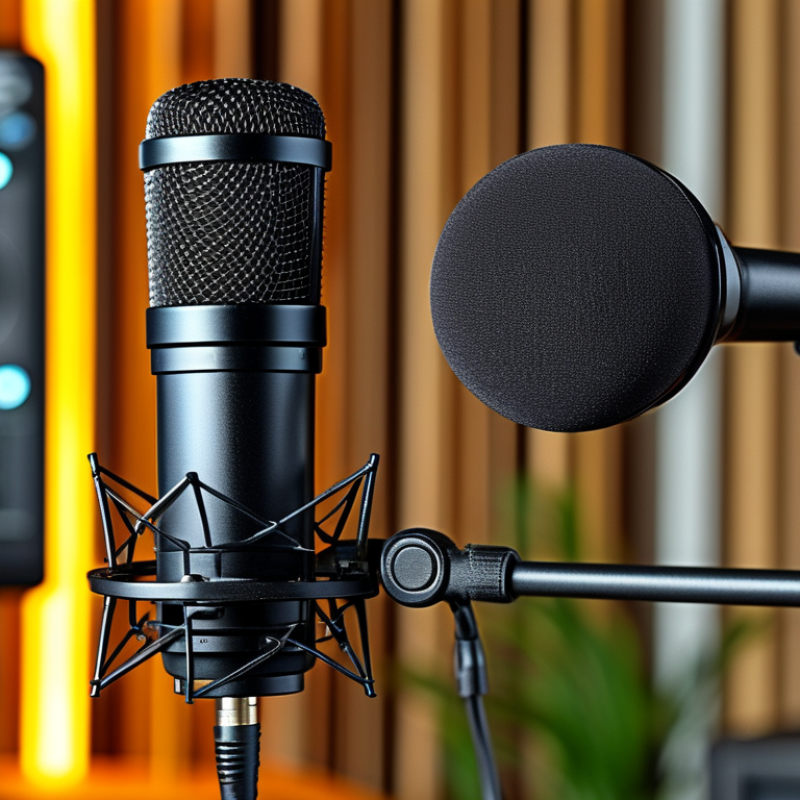
What a USB Streaming Microphone Is and How It Works
A USB streaming microphone converts your voice into digital audio inside the microphone itself. Its capsule first changes air pressure into an electrical signal. An analog-to-digital converter then samples that signal. The USB connection sends the data directly to your computer, tablet, or compatible console. You usually need no separate audio interface.
The process feels simple, but placement still matters. Keep the microphone 10 to 20 centimeters from your mouth. Aim the capsule toward your lips, not the keyboard. Adjust input gain until normal speech sounds strong without red clipping indicators. Closed-back headphones let you hear electrical noise, room echo, and delayed monitoring. USB microphones often provide a headphone jack for this purpose. That small feature can prevent a poor recording.
Demand for clear voice content is not imaginary. Edison Research’s 2024 Infinite Dial reported that 47% of Americans aged 12 and older listened to a podcast within the previous month. Many creators now record in bedrooms, study rooms, and temporary workspaces. A USB model suits these environments because setup is quick and portable. However, “plug and play” is not always perfect. Operating-system permissions, sample-rate conflicts, and noisy USB power can still interrupt a session. I have also found that software filters sometimes make speech sound unnaturally thin. A microphone cannot fully repair a loud fan, reflective walls, or careless distance. Room control remains part of the technology.
| Selection Dimension | What It Means | Typical Technical Data | Best Choice For | What to Check Before Buying |
|---|---|---|---|---|
| Connection | A USB microphone converts the microphone capsule’s analog signal into digital audio inside the microphone and sends it to a computer, tablet, or compatible console through USB. | USB-C is common on current devices; USB 2.0 is sufficient for one-channel microphone audio. A USB audio device normally works without a separate audio interface. | Plug-and-play streaming, voice chat, online teaching, and podcasting | Confirm the included cable, connector type, operating-system support, and whether an adapter is needed. |
| Polar Pattern | The polar pattern describes how sensitive the microphone is to sound arriving from different directions. | Cardioid emphasizes the front and reduces sound from the rear. Omnidirectional captures sound from all directions. Bidirectional captures the front and rear while rejecting the sides. | Cardioid for one-person streaming; bidirectional for face-to-face interviews | Choose a pattern that matches the number and position of speakers. A selectable-pattern model offers more flexibility but may require careful setup. |
| Sample Rate | Sample rate is the number of audio measurements taken per second. | 44.1 kHz and 48 kHz are standard choices for digital audio. 48 kHz is widely used for video production and streaming. | 48 kHz for video, livestreaming, and most spoken-word content | Higher sample rates do not automatically improve speech quality. Ensure the microphone and recording software use the same setting. |
| Bit Depth | Bit depth affects the number of amplitude levels available for each audio sample and contributes to recording dynamic range. | 16-bit is adequate for many basic voice applications. 24-bit provides more recording headroom and is common in current USB microphones. | 24-bit for editing, processing, and greater level-adjustment flexibility | Bit depth is only one part of sound quality; microphone placement, room noise, and gain setting usually have a larger practical effect. |
| Frequency Response | Frequency response indicates the range of frequencies the microphone is designed to capture. | Many speech-focused microphones list a range around 20 Hz–20 kHz, although the response may not be flat across that range. | A smooth midrange response for clear speech and intelligible vocals | Do not compare microphones by range alone. Look for a response suited to speech and listen for excessive bass, harsh treble, or unnatural coloration. |
| Maximum SPL | Maximum sound-pressure level is the loudest sound the microphone can handle before significant distortion, usually under stated test conditions. | Many condenser USB microphones specify approximately 110–130 dB SPL, depending on the capsule and electronics. | Loud speech, singing, instruments, and users who work close to the microphone | Higher maximum SPL reduces overload risk, but it does not replace correct gain control or suitable microphone distance. |
| Self-Noise | Self-noise is the microphone’s internally generated noise when no external sound is present. | Lower figures are quieter. A self-noise rating below approximately 20 dBA is generally suitable for detailed spoken-word recording in a quiet room. | Quiet narration, podcasts, voice-over, and low-volume speakers | Compare measurements made under similar standards. Room noise, computer fans, and keyboard sounds can be louder than the microphone’s own noise. |
| Gain Control | Gain adjusts how strongly the microphone’s analog signal is amplified before conversion to digital audio. | A physical gain knob is useful for quick adjustment. Digital recording levels should normally leave headroom and avoid reaching 0 dBFS. | Live streaming and shared workspaces where sound levels change quickly | Prefer a dedicated gain control over software-only adjustment when you need immediate control during a broadcast. |
| Headphone Monitoring | A headphone output lets the user hear the microphone signal directly from the microphone, often with low latency. | Look for a 3.5 mm headphone jack and a separate headphone-volume control. Some models provide a mix control between microphone and computer audio. | Live monitoring, gaming, calls, and avoiding distracting audio delay | Check whether direct monitoring is available and whether the controls change microphone gain, headphone volume, or both. |
| Latency | Latency is the delay between speaking and hearing the monitored signal. | Direct hardware monitoring can provide near-instant monitoring. Monitoring through recording software may introduce delay depending on the computer and buffer settings. | Live vocals, interactive streaming, and real-time voice work | Use direct monitoring when possible, or reduce the software buffer size if the computer can process the audio reliably. |
| Microphone Type | The transducer changes sound sensitivity, frequency behavior, and handling requirements. | Condenser designs are generally sensitive and detailed. Dynamic designs are often less sensitive to room noise and can tolerate high sound levels. | Condenser for quiet rooms; dynamic for untreated or noisy rooms | A sensitive condenser can capture fans, keyboard noise, and reflections. A dynamic microphone usually requires closer placement and more gain. |
| Room Acoustics | Reflections from walls, desks, and hard surfaces can make recorded speech sound echoey even when the microphone is technically high quality. | A quiet, furnished room with reduced reflections is preferable. Placing the microphone about 10–20 cm from the speaker, with a pop filter, is a common starting point. | Any streamer seeking clearer, more consistent speech | Improve the room and microphone position before relying on software noise reduction or aggressive equalization. |
| Mounting and Vibration Control | The stand or mount determines stability and helps reduce desk bumps and mechanical noise. | Desktop stands are compact. Boom arms free desk space. Shock mounts can reduce some vibration transmitted through the stand. | Boom arm for frequent streaming; weighted stand for simple fixed setups | Check thread compatibility, desk-clamp clearance, cable routing, and whether the mount can support the microphone’s weight. |
| Pop Protection | Plosive sounds from consonants such as “p” and “b” can create low-frequency bursts when air strikes the capsule. | A foam windscreen or external pop filter reduces plosives. Positioning the microphone slightly off-axis also helps. | Close-mic speech, narration, podcasting, and vocals | Use a pop filter without blocking controls or causing the microphone to move. Maintain a consistent speaking distance. |
| Controls and Mute | On-microphone controls provide fast access to common adjustments during a live session. | Useful controls may include mute, gain, headphone volume, and microphone/computer mix. A clear mute indicator helps prevent accidental broadcasting. | Live broadcasters, gamers, and meeting hosts | Check whether mute is touch-sensitive or mechanical and whether the indicator remains visible in the user’s normal position. |
| Compatibility | Compatibility determines whether the microphone can communicate with the intended host device and application. | Class-compliant USB audio devices generally work with supported desktop operating systems without a proprietary driver. Mobile and console support varies. | Users who switch between computers, tablets, and consoles | Verify host-device support, available USB power, required adapters, and whether the target streaming software can select the microphone as an input. |
| Power Requirements | USB power runs the microphone’s preamp, analog-to-digital converter, controls, and monitoring circuit. | Most USB microphones draw power directly from the USB port. Mobile devices may need an adapter or powered hub if available power is limited. | Desktop setups with direct USB connections | Check power behavior with tablets, phones, hubs, and consoles before relying on the microphone for mobile streaming. |
| Use-Case Match | The best microphone is determined by the environment, speaker distance, number of speakers, and required control features—not by specifications alone. | Single speaker: cardioid and direct monitoring. Noisy room: dynamic or strong off-axis rejection. Multiple speakers: wider pattern or separate microphones. | Choose the simplest configuration that meets the recording conditions | Prioritize room suitability, polar pattern, monitoring, controls, and mounting before choosing extra sample-rate or software features. |

 Phone
Phone WhatsApp
 Email
Email
Offer Electronics Manufacturing All-in-One
PCBONLINE® is a registered trademark or service mark of pcb online limited or its affiliates.
Copyright © 2001-2024 Pcb Online Limited. All rights reserved